

Redact PDF
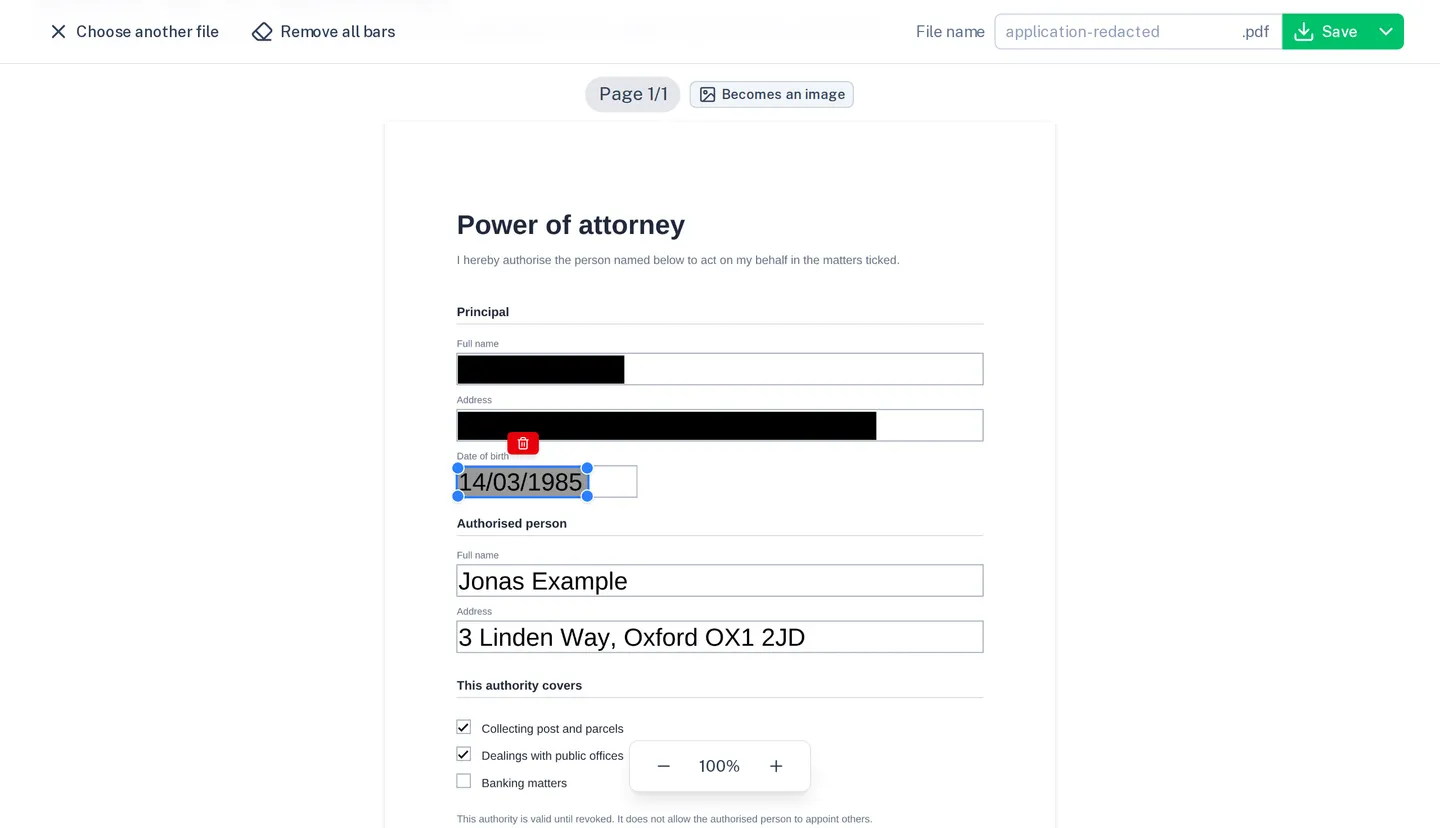
Draw black bars over anything nobody should read. When you save, what lies beneath is really removed – not just covered up.
- Free
- No upload
- No account
Your files never leave your browser – no upload, no server.
How it works
- 1
Select PDF
Drop the PDF onto the field, or select it.
- 2
Place bars
Drag a frame over names, numbers or pictures, click or tap the spot, or let the tool find terms for you.
- 3
Save
Pages with bars become images, hidden data is removed. Then save the PDF.
What the tool does
Really removed
Pages with bars are made anew as images. Nothing is left under a bar that could be copied or read out.
Hidden data goes too
Metadata, form fields, comments, bookmarks and attachments are removed from the whole document.
Placed exactly
Draw a frame, move it, adjust it at the corners, nudge it with the arrow keys.
Find terms
A name or an account number on many pages: enter it once, every hit gets a bar. IBANs and e-mail addresses at a click.
Limits
Pages with bars are images afterwards: their text can no longer be selected or searched. The search only finds text the PDF holds as text, not scans.