

Merge PDF
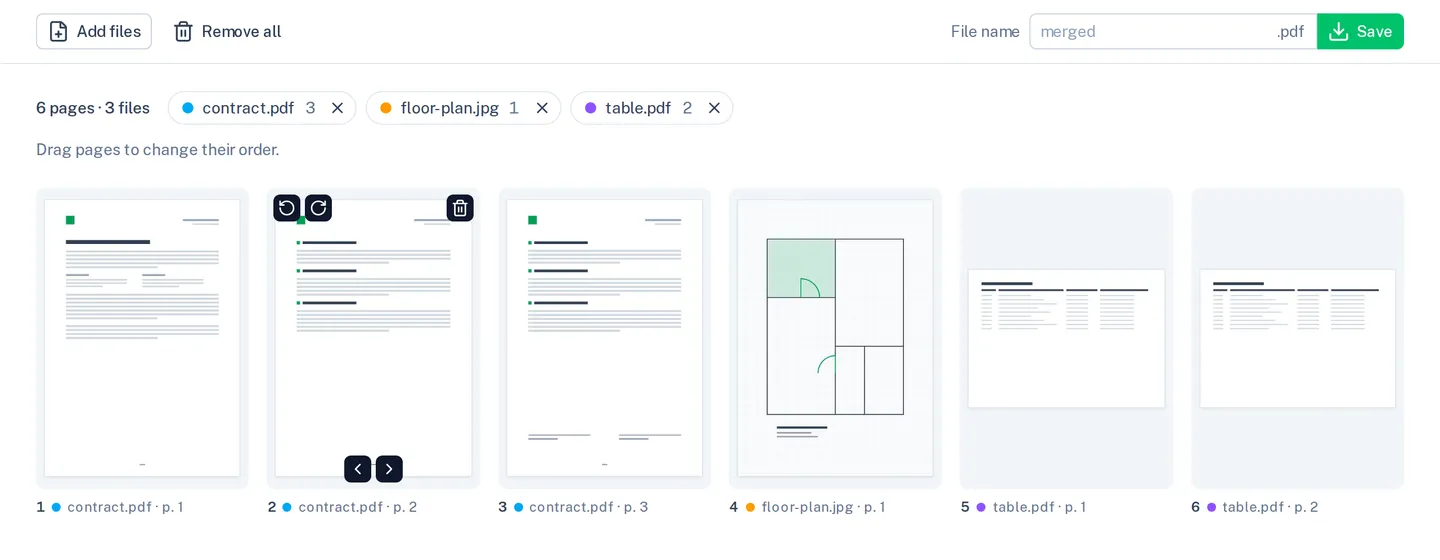
Combine several PDFs and images into one file. Arrange, rotate and delete pages before you save.
- Free
- No upload
- No account
Your files never leave your browser – no upload, no server.
How it works
- 1
Select files
Drop PDFs and images onto the field, or select them.
- 2
Arrange pages
Drag pages into the right order, rotate them and delete the ones you don't need.
- 3
Save
Choose a file name and save the merged PDF.
What the tool does
Mix PDFs and images
JPG, PNG and other images become A4 pages of their own between the PDF pages.
Arrange single pages
Drag pages into order, rotate or delete single pages before the file is made.
Add files at any time
With “Add files” or by dropping them onto the page, even halfway through.
Pages stay as they are
PDF pages are copied, not re-rendered: text stays searchable and graphics stay sharp.
Limits
Password-protected PDFs are added once you enter their password. How many pages work depends on the memory of your device.